


Troubleshooting
Sometimes a quick fix is all you need; let us help you resolve issues with your VEEV ONE.


Get ready and make sure you have everything you need before starting: the device, a manufacturer-approved Charging Cable and your VEEV ONE pod.*
*The package contains only the Type C charging cable. The AC power adapter authorized by the manufacturer is sold separately.


If VEEV ONE is unused for three seconds, it will automatically go in sleep mode to save battery. You can manually turn off the device by pressing the ON/OFF button for three seconds until all the status lights fade out.
How to charge
How to change the pod
Battery check
Device operation

You can easily change the VEEV ONE pod while your VEEV ONE device is turned on, at any time and on the go. When a new VEEV ONE pod is inserted, status lights will turn on slowly to indicate that the device is ready for use. What’s more, there is no flavor aftertaste from one pod to another.

With VEEV ONE, you always know when it is time to charge.
You can easily check the charge level of the device by briefly pressing the ON/OFF button: four white lights will turn on to indicate the status of the battery.

To ensure a proper working, air needs to be always able to flow through your device: when puffing, make sure that the two airflow holes, placed on the side of your device, are not occluded by your fingers or any other blockage.


Sometimes a quick fix is all you need; let us help you resolve issues with your VEEV ONE.
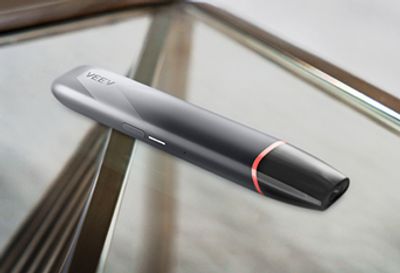
If you are on vacation or traveling for work in a country where VEEV is available and your device is damaged, let us know and we will send you a free replacement device.
There are several ways you can reach us.

Your question might have already been asked before. Browse our FAQs to see if there’s an answer waiting for you.


Chat to our experts in real time. They're available every day from 9AM to 8PM. Just give them a message and they'll say hello within seconds.

To talk with a VEEV Expert.

Find the nearest VEEV store to you.